

Track Types
Every track has a TrackType that determines what kind of content it produces and which effects it accepts.
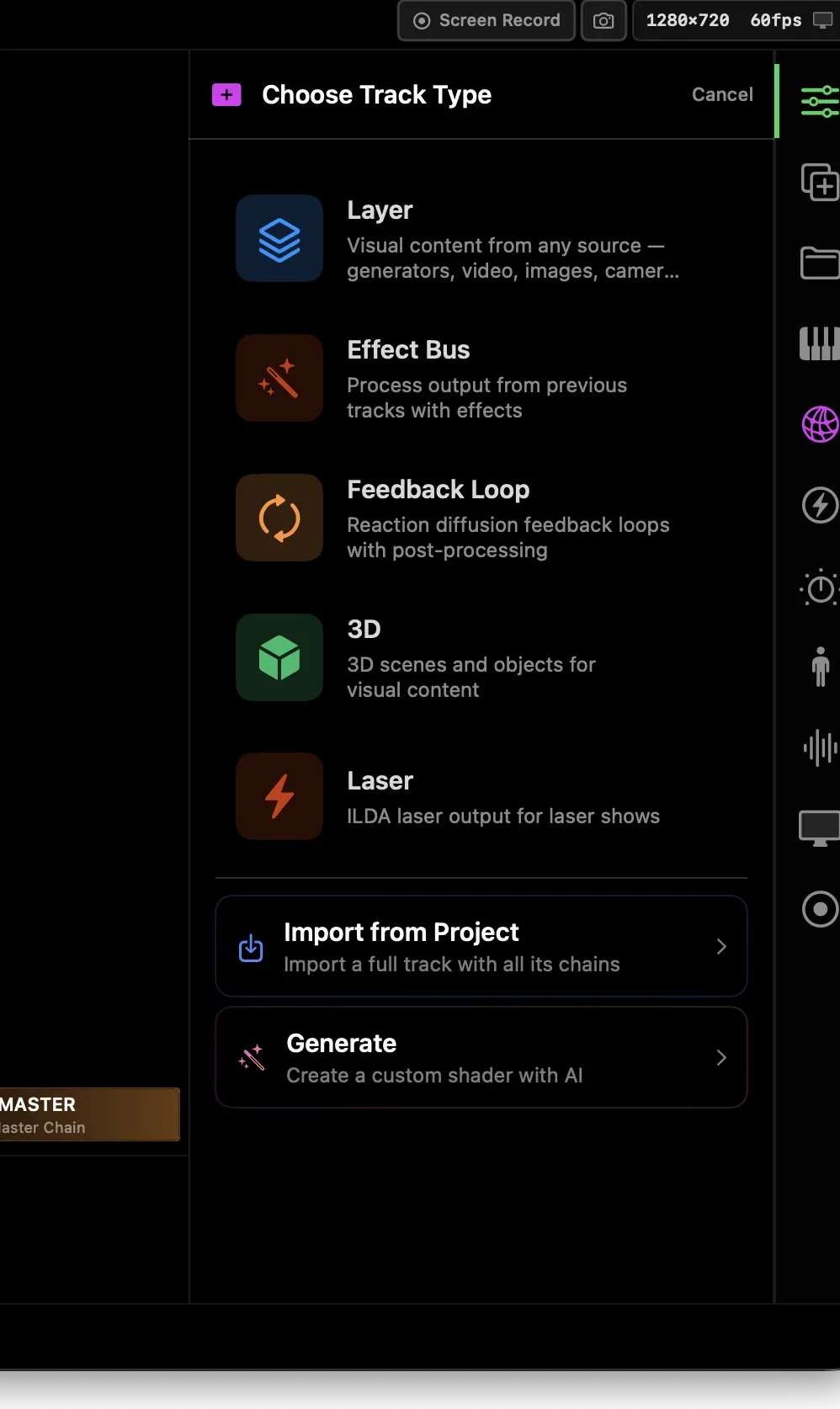
The most common type. A Layer track:
- Renders a chain of ISF generator shaders (or media: video, image, GIF, camera, Syphon)
- Outputs a full-resolution texture
- Blends into the master mix via opacity + blend mode
Use a Layer track for any self-contained visual element — a shader, a video clip, a camera feed.
Effect Bus
Section titled “Effect Bus”An Effect Bus track takes the composite output of tracks below it as its input texture and applies a chain of ISF effect shaders to it. Nothing is generated — only transformed.
Use an Effect Bus to apply global post-processing (blur, color grade, glitch) to everything beneath it.
Feedback Loop
Section titled “Feedback Loop”A Feedback Loop track feeds its own output back into itself each frame. The chain has a pre-feedback section and a post-feedback section, with the feedback tap between them.
This creates trails, echo, and smear effects. The strength of the feedback is controlled by the Feedback parameter on the track.
A 3D track renders a Scene3D — a collection of 3D objects (point clouds, SDF raymarched shapes) composited with Metal-based rendering.
- Objects are driven by displacement shaders (emerald badge in the browser)
- Supports bloom, depth of field, chromatic aberration, force fields
- Outputs a texture that blends into the master mix like any other track
Laser (experimental)
Section titled “Laser (experimental)”Drives a laser projector via ILDA DAC output. Not covered in this manual.
Choosing the right type
Section titled “Choosing the right type”| Goal | Use |
|---|---|
| Generate visuals from scratch | Layer |
| Transform everything below | Effect Bus |
| Create trails / echo / smear | Feedback Loop |
| 3D point clouds or SDF shapes | 3D |